
Treasury
Cashout
Withdraw funds from your Sumo wallets to external addresses.
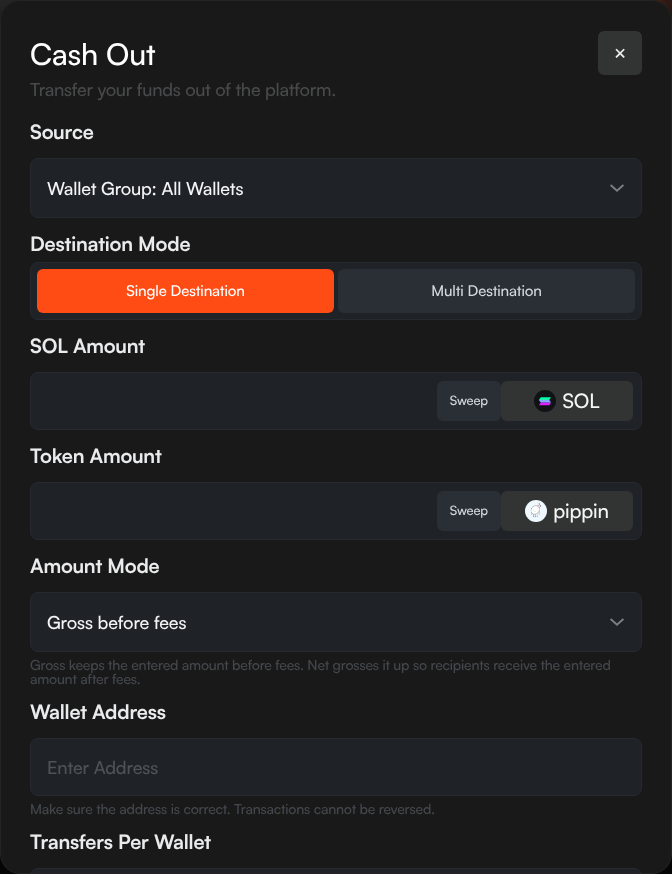
Cashout lets you withdraw SOL, tokens, or both from your Sumo wallets to one or more external destination addresses.
How to Cashout
- Click Withdraw Treasury in the top navigation bar
- Select the source wallets — all wallets, a wallet group, or individual wallets
- Choose a destination mode (single or multi)
- Enter amounts and destination addresses
- Click Preview to review the transaction details and fees
- Click Confirm to execute
Destination Modes
Single Destination
Send funds from your source wallets to a single external address:
- Enter the destination address
- Set the SOL amount (or toggle Sweep to send all SOL)
- Set the Token amount (or toggle Sweep to send all tokens)
Multi Destination
Send funds to multiple addresses in one operation:
- Interactive mode — Add destination rows with address, SOL amount, and token amount
- CSV mode — Paste in CSV format:
address,solAmount,tokenAmount
Transfer Modes
| Mode | Description |
|---|---|
| Single | Each source wallet sends to a single destination |
| Multiple | Funds from all source wallets are consolidated to destinations |
| One-to-one | Each source wallet maps to a specific destination wallet |
Amount Modes
| Mode | Description |
|---|---|
| Gross (before fees) | The amount you enter is the total sent — fees are deducted from it |
| Net (after fees) | The amount you enter is what the destination receives — fees are added on top |
Fees
Platform Fee
Sumo charges a 5% fee on all cashout withdrawals of tokens and native assets. See Platform Fees for details.
The preview step shows a breakdown of all fees before you confirm.