
Getting started
Create Your Account
Sign up for Sumo and set up your organization.

Get started with Sumo by creating your account. The process takes under a minute.
Invite Code
Sumo signup is invite-only. If you do not already have an invite code, contact us on Telegram and we can provide one.
Sign Up
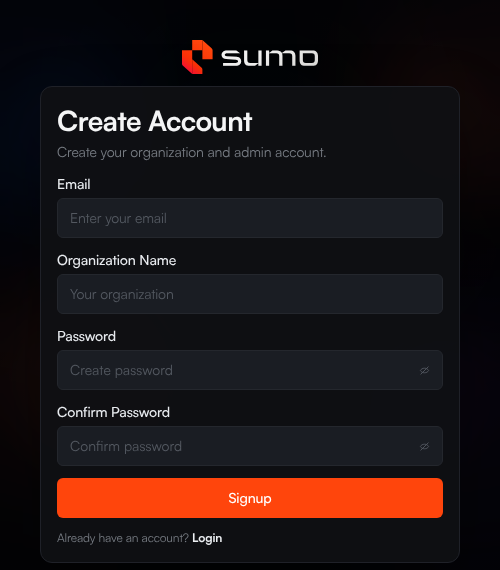
- Go to app.sumo.trade and click Sign Up
- Enter your invite code when prompted
- Enter your email address, organization name, and choose a password (minimum 8 characters)
- Verify your email with the code sent to your inbox
- You're in
An organization is automatically created for you when you sign up. You can invite team members later from Settings.
Log In
- Go to app.sumo.trade
- Enter your email and password
- Complete the 2FA challenge (email code or Telegram verification)
- You're in
Sumo supports two-factor authentication via email code or Telegram. You can configure your preferred 2FA method in Settings.
What's Next
Now that your account is set up, start with the dashboard overview, then choose whether you want to import an existing token or launch a new one.