
Swap Wallets
Sweep balances from source wallets into fresh wallets, existing wallets, or a list of addresses.

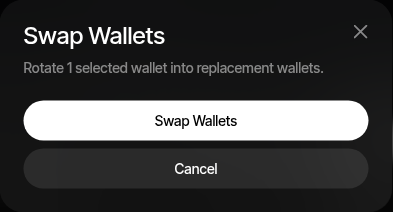
Swap Wallets sweeps balances out of selected wallets — into freshly derived replacement wallets, into existing project wallets you pick, or into a pasted list of addresses that may mix profile wallets and external addresses. On a full sweep, Sumo also rotates the wallet identity: group and strategy assignments move to the destination wallets and the old wallets are archived. It is supported on Solana, EVM, and Tron profiles.
When to Use
- Fresh addresses — Continue operations from new wallet addresses
- Wallet hygiene — Rotate wallets after a launch, trading campaign, or funding cycle
- Retiring wallets — Move balances out of wallets you no longer want to use
- Consolidating — Sweep specific assets from some wallets into other wallets you already hold
- Draining to external wallets — Sweep everything a wallet holds to addresses outside Sumo in one step
How to Use
- Open the profile's Wallets tab
- Select one or more wallets
- Open the wallet actions menu and click Swap wallets
- Review the Source Wallets — pre-filled from your selection; adjust by wallet or group
- Choose the Destination mode
- Choose the Assets to Sweep
- Click Swap Wallets
Use this when you want the selected wallets replaced or drained, one destination per source. To send chosen amounts from many wallets to one or more destinations, use Withdraw instead.
Destination
| Mode | Description |
|---|---|
| New Wallets | Sumo derives one fresh replacement wallet per source wallet. Available for full sweeps only. |
| Existing Wallets | You pick destination wallets from the profile, one per source wallet. |
| Addresses | You paste one address per source wallet, one per line or comma-separated. Addresses that belong to profile wallets are treated as those wallets; any other address is an external destination. |
A partial sweep into freshly derived wallets would strand the unswept assets in an archived wallet, so partial sweeps always target existing wallets or addresses.
External addresses receive the sweep only. On a full sweep the source wallets are still archived and leave their groups, but no group or strategy assignment moves to an external address. If that empties a group, any active strategy assigned only to that group is deactivated. Pasting external addresses requires the admin role, the same rule as Withdraw; traders can paste addresses of wallets the organization manages. Addresses that cannot be a wallet are rejected before anything moves: on Solana, program-derived addresses and existing token or program accounts; on EVM, contract addresses. Tron addresses are not checked.
Assets to Sweep
Toggle which balances move: the native asset, the project token, the quote asset, and the profile's stablecoin where enabled. On profiles that trade with native, the quote is the wrapped native asset, so there is no separate quote toggle.
The selection decides what kind of operation runs:
- Full sweep (every asset selected) — balances move, group and strategy assignments transfer to the destination wallets, and the source wallets are archived. This is the classic wallet rotation.
- Partial sweep (some assets deselected) — only the selected assets are transferred. Source wallets keep their groups and stay active.
The summary line above the confirm button states which of the two will happen before you commit.
What Happens
- Sumo derives fresh wallets (New Wallets mode) or uses your chosen destinations (Existing Wallets or Addresses mode)
- The selected asset balances are moved from the source wallets to the destinations
- On a full sweep, wallet groups and strategy assignments are updated to point at the destination wallets (external addresses are skipped)
- On a full sweep, the source wallets are archived — they stay available for history but are not reused for new operations