
Privacy Cashout
Move native assets and supported stablecoins privately between wallets using third-party privacy providers.
Privacy Cashout lets you move funds to destination wallets without creating a direct on-chain link between the source and destination wallets. It is useful for distributing funds across trading wallets, rotating funds between wallets, or separating trading wallets from the original funding source.
How It Works
Instead of sending funds directly wallet-to-wallet, Sumo routes funds through a third-party privacy provider that breaks the visible on-chain connection between the source side and destination side.
Supported Chains and Assets
Privacy Cashout is available on Solana, Ethereum, BNB Smart Chain, Base, Robinhood Chain, and Tron mainnet. It is not available on Stable Mainnet.
| Chain | Native | Stablecoins |
|---|---|---|
| Solana | SOL | USDC, USDT, USD1 |
| Ethereum | ETH | USDC, USDT; USD1 via Husher only |
| BNB Smart Chain | BNB | USDC, USDT (Husher only) |
| Base | ETH | USDC (Husher only) |
| Robinhood Chain | ETH | Native ETH only |
| Tron | TRX | USDT |
Stablecoin swaps are same-stablecoin only, such as USDC to USDC or USDT to USDT. The asset selector only shows assets available for the selected profile chain, provider, and source wallets.
Supported Providers
| Provider | Features |
|---|---|
| Husher | Time-staggered delivery for enhanced privacy |
| SplitNOW | Instant distribution |
Robinhood Chain privacy cashouts route through Husher only.
Source Modes
Single Source
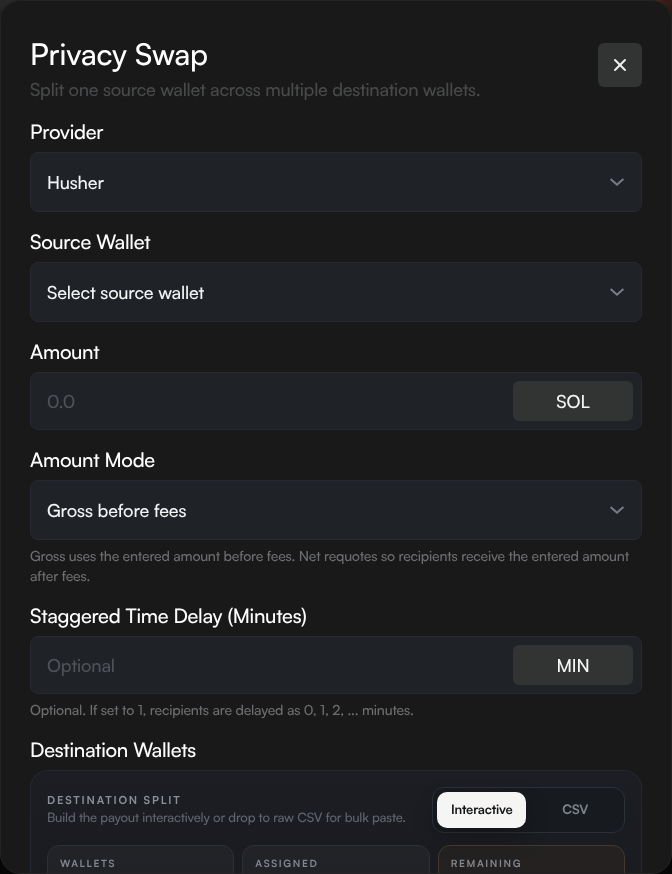
Use Single Source when one wallet holds the funds you want to distribute.
- Open the profile’s Wallets tab and click Privacy cashout from the wallet actions menu
- Select Single Source
- Select a provider (Husher or SplitNOW)
- Select the source wallet
- Enter the amount and choose the asset
- Choose amount mode — Gross before fees or Net after fees
- Optionally set a staggered time delay in minutes and choose the allowed exchanges (Husher only)
- Configure destination wallets and percentage splits
- Click Preview to review fees and amounts, then confirm to execute
Multiple Source
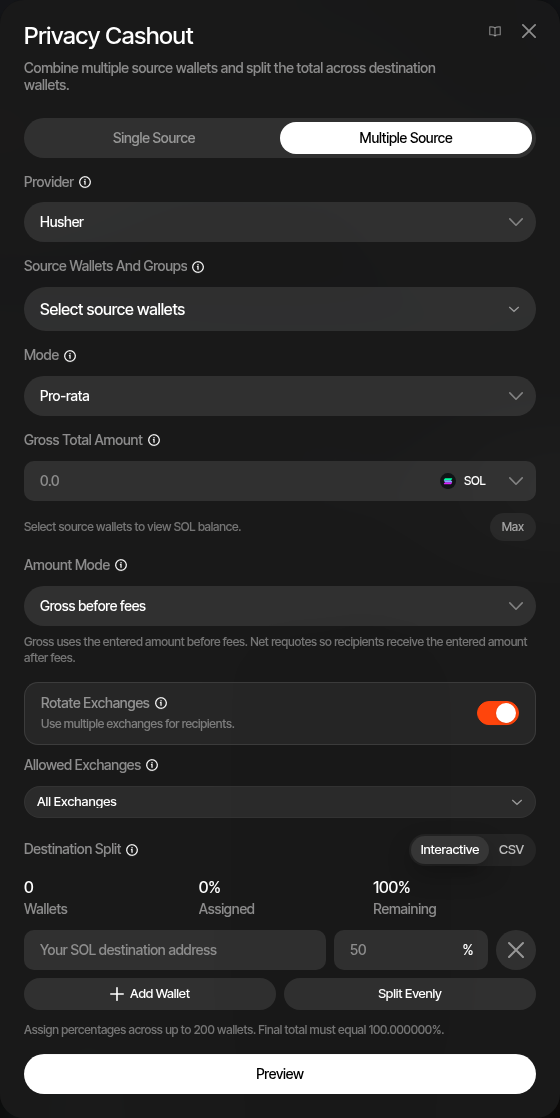
Use Multiple Source when you want several source wallets or wallet groups to contribute to one privacy swap.
- Select Multiple Source
- Select one or more source wallets or wallet groups
- Choose the allocation mode
- Enter the gross total amount and choose the asset
- Choose amount mode — Gross before fees or Net after fees
- Configure destination wallets and percentage splits
- Click Preview to review source allocations, fees, and destination amounts, then confirm to execute
Multiple Source supports two allocation modes:
| Mode | Description |
|---|---|
| Pro-rata | Each source wallet contributes proportionally from its available balance |
| Rebalance | Sumo plans contributions to draw more from wallets with higher available balances |
Destination Configuration
Single-source and multiple-source privacy cashouts use the same destination split editor.
Interactive Mode
Add destination wallets one by one:
- Enter or select a wallet address
- Set the percentage each wallet receives
- Use Split Evenly to distribute equally across all destinations
- Add more destinations as needed
CSV Mode
Paste destinations in CSV format:
walletAddress,60.00
walletAddress2,30.00
walletAddress3,10.00
Values are percentages. The total across all destinations must equal 100%. Privacy cashouts support up to 200 destination wallets.
Exchange Controls (Husher)
Husher swaps route through centralized-exchange accounts. The Allowed Exchanges multi-select restricts which exchanges can be used, and Rotate Exchanges varies the exchange used across destinations for additional separation.
All Exchanges covers the default tier. The Opt-in group below it (ChangeNOW, SideShift) is never used unless you tick it, on any chain including Robinhood. Opt-in exchanges carry their own minimum per leg; ChangeNOW in particular charges a flat fee of about 0.01 ETH, so it is only worth selecting for legs of roughly 0.05 ETH or more. Legs below an opt-in minimum rotate to another allowed exchange, and the quote fails with a clear message if none remains.
Fees
The preview step shows:
- Provider fee — Charged by the privacy provider
- Sumo fee — Platform fee
- Net total — What destinations actually receive
Common Use Case
Fund one wallet from an exchange, then use Privacy Cashout to distribute to your trading wallets. This way, your trading wallets have no direct on-chain link to each other or to your exchange account.