
Wallets
Generate Wallets
Generate new HD-derived wallets within Sumo.

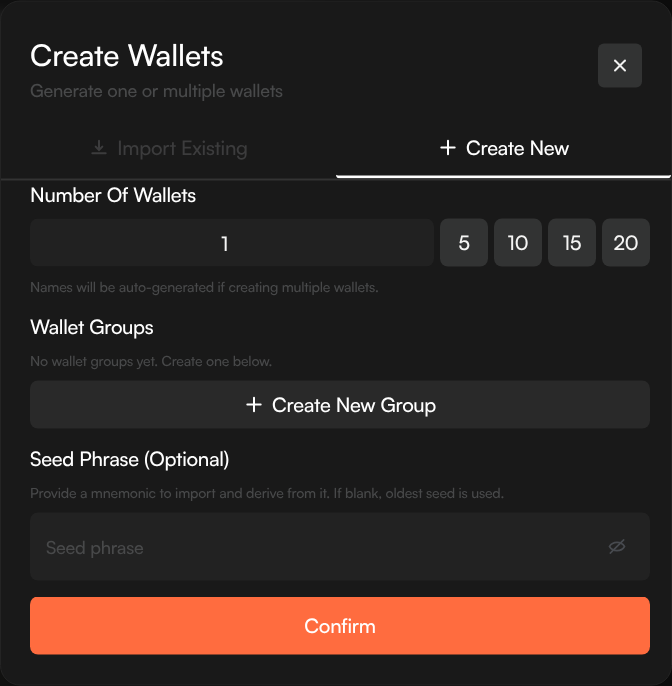
Generate fresh wallets directly in Sumo. Sumo can create the wallets from your profile seed automatically, or you can provide your own seed phrase if you need deterministic wallets from an existing mnemonic.
How to Generate
- Navigate to your profile's Wallets tab
- Click + New Wallets
- Select the Create New tab
- Choose the number of wallets to generate (1–100)
- Use the quick buttons for common counts: 5, 10, 15, or 20
- Optionally assign a wallet group
- Optionally provide your own seed phrase — if left blank, Sumo uses the profile seed or creates one automatically
- Click Confirm
Sumo creates the seed (if not provided), derives the requested wallets, and adds them to your profile.
Wallet Groups on Creation
You can assign wallets to a group during creation:
- Select an existing group from the list
- Or create a new group inline with a name and color
This saves time versus creating wallets first and grouping them later.
Adding More Wallets
You can generate additional wallets at any time by repeating the process. New wallets are derived from the next available index in the seed, so they won't conflict with existing ones.