
Privacy Funding
Distribute funds to multiple Wallet Farm wallets using privacy-preserving providers, so destination wallets are not publicly linked to the funding source.

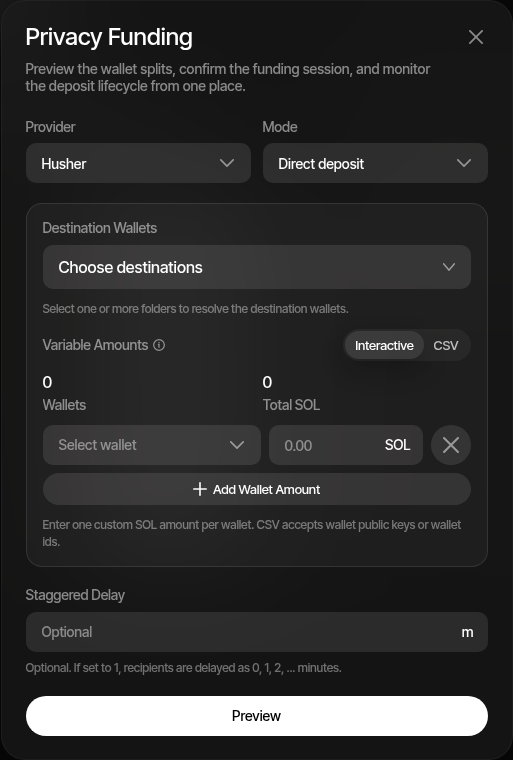
Privacy Funding lets you distribute native assets (SOL, ETH, etc.) to multiple Wallet Farm wallets through a supported privacy provider. The provider acts as an intermediary, so the on-chain link between the funding source and the destination wallets is not directly visible.
How It Works
- Click the Privacy Funding toolbar button in Wallet Farm
- Select a Provider (e.g., Husher)
- Choose a Mode — Direct deposit or Existing wallet
- Select Destination Wallets and assign the amount each wallet should receive
- Optionally configure a Staggered delay (minutes between deliveries)
- Click Preview to see the funding quote with provider fees
- Confirm to start the session
The provider receives a single deposit and distributes the funds to your destination wallets according to the specified amounts.
Funding Modes
Direct Deposit
You receive a deposit address and send funds to it from any external wallet or exchange. Sumo monitors the deposit address for incoming transactions and notifies the provider once the deposit is detected.
This mode is useful when funding from a source outside of Sumo.
Existing Wallet
Select one of your Wallet Farm wallets as the funding source. Sumo submits the deposit transaction directly from that wallet and monitors the provider's distribution to destination wallets.
This mode is convenient when the funds are already in a Wallet Farm wallet.
Quote and Fees
Before confirming, the Preview step shows:
| Field | Description |
|---|---|
| Total funding amount | The amount you need to deposit, including provider and platform fees |
| Privacy Swap Fee (Sumo / provider) | The privacy provider's fee plus the standard privacy swap fee for your organization, shown as one line the same way privacy cashouts show it |
| Per-wallet amounts | How much each destination wallet will receive |
| Quote expiration | How long the quote remains valid |
The Sumo fee follows the same rule as treasury privacy swaps: the fee leg must itself clear the privacy provider's minimum payout. When the funding amount is too small for that, the fee is waived automatically and the funding runs with only the provider fee, rather than failing. The quoted fee is recorded on the funding session so it appears in fee reporting once the session completes.
Variable Amounts
You can assign different amounts to each destination wallet. Two input modes are available:
- Interactive — Add wallet rows one at a time and set individual amounts
- CSV — Paste wallet address and amount pairs in bulk for faster configuration
Session Tracking
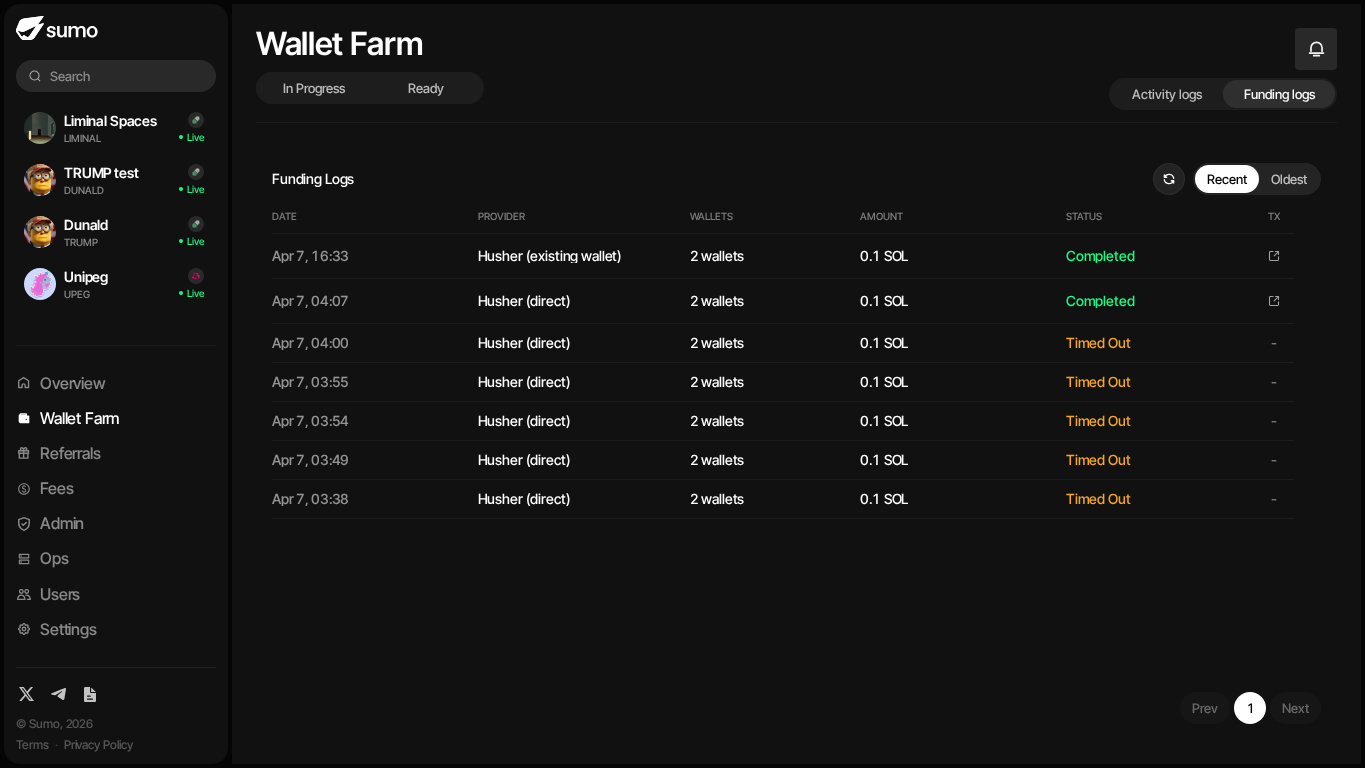
Each funding session progresses through these states:
| Status | Meaning |
|---|---|
| Awaiting deposit | (Direct mode) Waiting for you to send funds to the deposit address |
| Monitoring | Deposit detected, provider is processing the distribution |
| Completed | All destination wallets received their funds |
| Failed | Distribution failed — check session details for the reason |
| Expired | Quote expired before a deposit was made |
| Timed out | Provider did not complete distribution within the expected timeframe |
Track all sessions in the Funding Logs tab. Each row shows the provider and mode, destination wallet count, requested amount, current status, and transaction link when one is available.
Staggered Delivery
Use the staggered delay option to space out deliveries over time. Rather than all destination wallets receiving funds simultaneously, each delivery is separated by the configured number of minutes.