
Funding Your Profile
Generate or import wallets and deposit funds to start trading with Sumo.

Before you can start trading, you need wallets with funds. Sumo doesn't hold your funds in a central pool — each wallet is a real on-chain address that you fund directly.
Step 1: Generate or Import Wallets
You need at least one wallet to start trading. From your profile, open the Wallets tab and click + New Wallets.
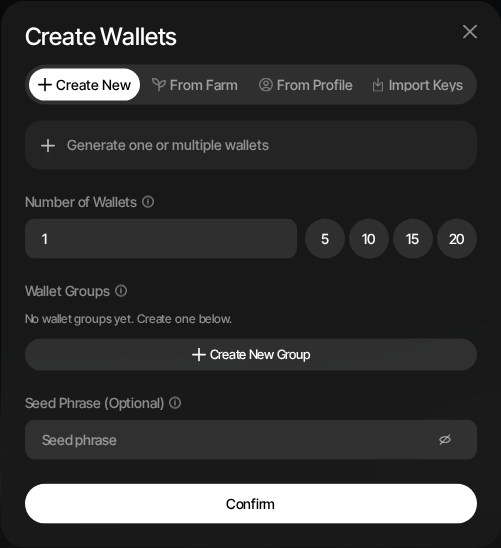
Create New
Generate one or more wallets directly inside the profile.
- Select Create New
- Choose the number of wallets to create, or use the quick count buttons
- Optionally assign the wallets to existing wallet groups or create a new group
- Optionally enter a seed phrase if you want to derive from a specific mnemonic; otherwise Sumo auto-selects or creates an encrypted seed for the profile
- Click Confirm
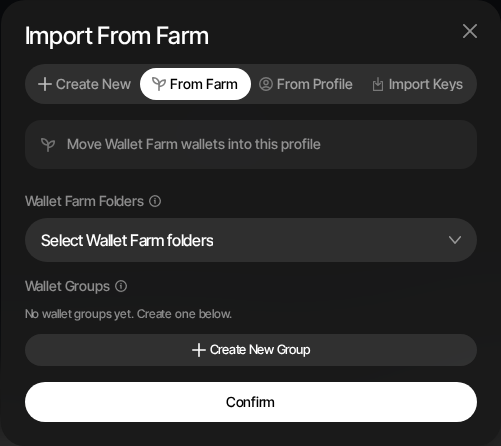
From Farm
Move prepared Wallet Farm wallets into the profile.
- Select From Farm
- Choose one or more Wallet Farm folders
- Optionally assign the imported wallets to profile wallet groups or create a new group
- Click Confirm
Only active Wallet Farm wallets are available for import. This is useful when you prepared wallets before the trading profile existed.
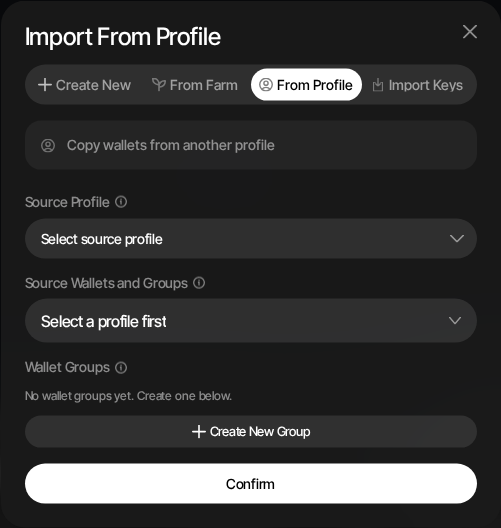
From Profile
Copy wallets from another profile in the same organization.
- Select From Profile
- Choose a source profile on the same network
- Select individual wallets, wallet groups, or all wallets from that profile
- Optionally assign the copied wallets to groups in the current profile
- Click Confirm
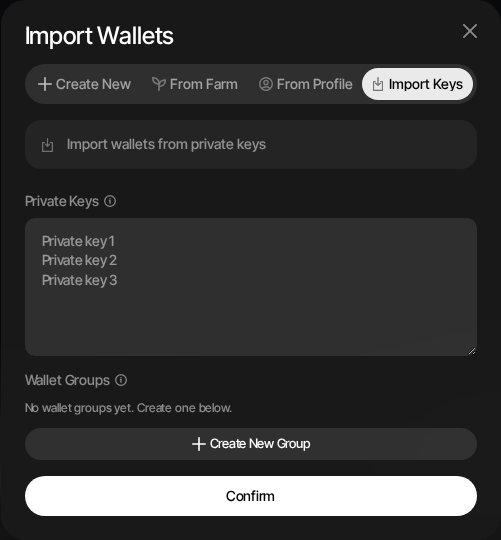
Import Keys
Import existing wallets from private keys.
- Select Import Keys
- Paste private keys separated by new lines or commas
- Optionally assign the imported wallets to wallet groups or create a new group
- Click Confirm
Seed Security
All seed phrases and private keys are encrypted at rest using AES-256-GCM with keys stored in a hardware security module (HSM). They never exist in plaintext in Sumo's application database. See Security & Encryption for details.
Step 2: Fund Your Wallets
Send funds directly to your wallet addresses. Each wallet's public address is visible in the Wallets dashboard.
What to Deposit
For Solana profiles:
- SOL — Required for transaction fees and trading
- Your token — If running sell-side strategies
For EVM profiles:
- Native asset (ETH, BNB, etc.) — Required for gas fees
- Your token — If running sell-side strategies
How to Deposit
- Copy a wallet's public address from the dashboard
- Send funds from your external wallet, exchange, or another Sumo profile
- Balances update automatically within seconds
Deposits Are Free
There are no Sumo platform fees on deposits or withdrawals. Sumo charges a 1% platform fee on Sumo-executed trading volume.
Funding with Privacy
If you want to avoid linking your wallets on-chain (e.g. so they don't all trace back to the same funding source), use this approach:
- Send all funds to one wallet in your profile
- Use Privacy Cashout to distribute those funds from that single wallet to multiple other wallets in the profile
- Use the destination wallets for trading
- Archive the original source wallet so it's not used for trading
This way, your trading wallets have no direct on-chain link to each other or to the original funding source.
Step 3: Organize with Wallet Groups (Optional)
If you're running multiple strategies or want to segment your trading activity, organize wallets into groups:
- Go to Wallets → Groups
- Create a new group with a name and optional color
- Assign wallets to the group
Wallet groups let you run different strategies on different subsets of wallets. See Wallet Groups for details.
Checking Balances
View balances for all wallets from:
- Dashboard — Treasury card shows aggregate balances
- Wallets page — Per-wallet SOL, wrapped native, and token balances
- Telegram — Use the
/balancecommand for a quick summary
You're Ready to Trade
With your account set up, profile configured, and wallets funded, you have two paths forward:
- Launch your token through Sumo — Use your funded wallets to create a new token through one of Sumo's supported launch methods.
- Start trading an existing token — If your token is already live, jump straight into setting up strategies like Counter Trade or DCA.