
Reporting
Profile Notifications
Real-time alerts for important profile events.

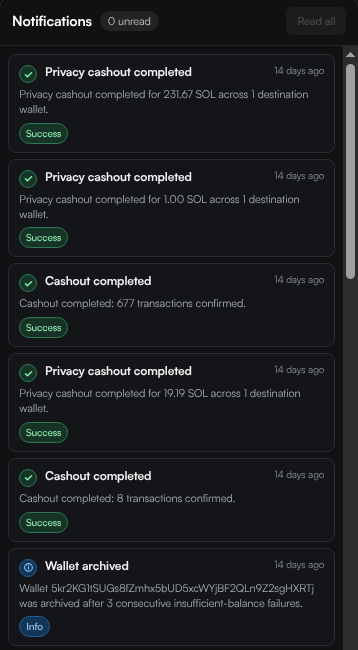
Profile Notifications keep you informed about important events like completed withdrawals, failed transactions, and wallet status changes. Access them by clicking the bell icon in the profile header.
Notification Types
Notifications cover key events across your profile:
- Withdraw completed — A withdrawal operation finished with confirmation count
- Privacy Swap completed — Privacy swap completed with amount and destination count
- Wallet archived — A wallet was automatically archived (e.g. after consecutive failures)
- Strategy events — Strategy-related alerts like failures or completions
- Launch events — Token launch confirmations and failures
Notification Levels
Each notification has a severity level with a visual indicator:
| Level | Description |
|---|---|
| Success | Operation completed successfully (green badge) |
| Info | Informational event (blue badge) |
| Warning | Something needs attention (yellow badge) |
| Error | An operation failed (red badge) |
Managing Notifications
- Unread count — The bell icon shows a badge with the number of unread notifications
- Mark all as read — Click Read all to dismiss all unread notifications
- Real-time updates — New notifications stream in automatically, with a sound alert
- Scroll to load more — Older notifications load as you scroll down